
Skip to Main Content

Go Digital! See how it can help protect from fraud and scams

There are many benefits of digital banking such as convenient ways to deposit money, make payments and move money. But, most importantly, you’re in control of your accounts and can set up features to help protect yourself from fraud and scams.  

  1. Check your account security level in the Security Center: Simply log in to your Security Center. You’ll see your security level, and you can enable additional security features to upgrade your overall internet safety.
  2. Turn on alertsFootnote 1, and make sure you opt in to mobile push alerts.Footnote 2 We’ll reach out if we suspect suspicious activity on your account. When you receive a push alert, you’ll know it’s us trying to contact you.
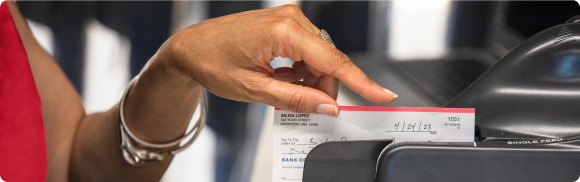
  3. Use digital deposits, such as mobile depositFootnote 3 and direct deposit. Set up direct deposit and have your paycheck or other recurring deposits sent right to your eligible checking or savings account — automatically. 
  4. Go paperlessFootnote 4 to reduce the risk of lost, delayed or stolen mail.
  5. Watch for scam red flags: Know what to watch for so you can help protect your money.
  6. Learn which third parties have access to your data:  You can view a list of third-party services in Mobile or Online Banking. When you share your login information with a third-party, they have the same access to your information as you do. 

The federal government has stopped issuing paper checks for most federal payments. If you still receive federal check payments, you must switch to an electronic payment method. Visit www.godirect.gov/gpw/ for more information.

Learn more about digital banking to help stay in control of your financial life 24/7.

Explore more

  1. Factors outside of our control may affect when you receive alerts from us. These include your email provider, email settings, your mobile carrier, device and app settings. Depending on your mobile plan, you may be charged by your mobile carrier for text messages sent to your device. Device must support ability to receive push notifications. Mobile app alerts are not available for all devices or in our web-based Mobile Banking. Back to content
  2. Device must support ability to receive push notifications. Mobile app alerts are not available for all devices or in our web-based Mobile Banking. Message and data rates may apply. Back to content
  3. Mobile check deposits are subject to verification and not available for immediate withdrawal. Other restrictions apply. In the Mobile Banking app menu, select Menu > Help > Browse More Topics > Mobile Check Deposit for details and other terms and conditions. Message and data rates may apply. For SafeBalance Banking® for Family Banking accounts, the parent owner can make mobile check deposits but their child using the account cannot. Back to content
  4. Not all account documents are available in paperless format. Back to content